
If you’ve started looking into CRM software for law firms, you’ve probably noticed the same problem most attorneys run into. Every vendor claims to be “the best.” The feature lists all start to blur together. And it’s genuinely hard to tell what actually matters versus what’s just marketing language.
This guide skips the sales pitch. It’s meant to help you understand, in plain terms, what a legal CRM actually does. You’ll also learn what to look for, and how to avoid picking a tool that looks good in a demo but doesn’t fit how your firm actually works.
What Does CRM Software for Law Firms Actually Do?
At its core, a CRM for lawyers keeps track of everyone your firm interacts with — clients, leads, referral sources. It also holds the history of every conversation, document, and deadline connected to them. Instead of that information scattered across inboxes, sticky notes, and someone’s memory, it’s centralized in one place your whole team can access.
That matters more than it sounds like on paper. Recent industry research indicates that most law firms have already adopted some form of CRM system. Firms that adopt legal technology broadly also report measurable gains in day-to-day efficiency. In a busy practice, the difference between a client who feels well cared for and one who feels forgotten often comes down to something simple: did someone remember to follow up? A good CRM makes that far less dependent on any one person’s memory.
Why Generic CRMs Usually Fall Short for Legal Work
Plenty of firms start with a general-purpose CRM built for sales teams, and run into friction fairly quickly. Legal work has requirements that generic sales tools weren’t built for — client confidentiality rules, conflict-of-interest checks, matter-based organization instead of simple “deals,” and the need to tie communication history to specific cases rather than just contacts.
This is why the market has moved toward customized legal CRM systems — tools either purpose-built for law firms or configured specifically around legal workflows, rather than a generic sales CRM with a few extra fields bolted on.
Core Features Worth Actually Comparing
When you’re evaluating CRM for lawyers, it helps to separate the features that genuinely change day-to-day operations from the ones that just sound impressive in a sales call.
- Centralized client and matter records — one place for contact details, communication history, and case-related notes
- Task and deadline tracking — so nothing slips because it was only written in one person’s notebook
- Reporting and analytics — visibility into where time is going and which referral sources actually convert
- Time tracking and billing integration — because client relationship management and revenue tracking are tightly linked in a law practice, even though they’re technically separate functions
- Secure document handling — given the sensitivity of legal correspondence and case files
That last two points are worth pausing on, because they’re where a lot of firms get tripped up.
The Overlap Between Legal CRM and Practice Management
Here’s something vendors don’t always explain clearly: in a law firm, “client relationship management” and “practice management” aren’t fully separate problems. Knowing how a client feels about your firm is tied directly to whether their invoices are accurate, whether their billable hours were tracked properly, and whether reporting is transparent.
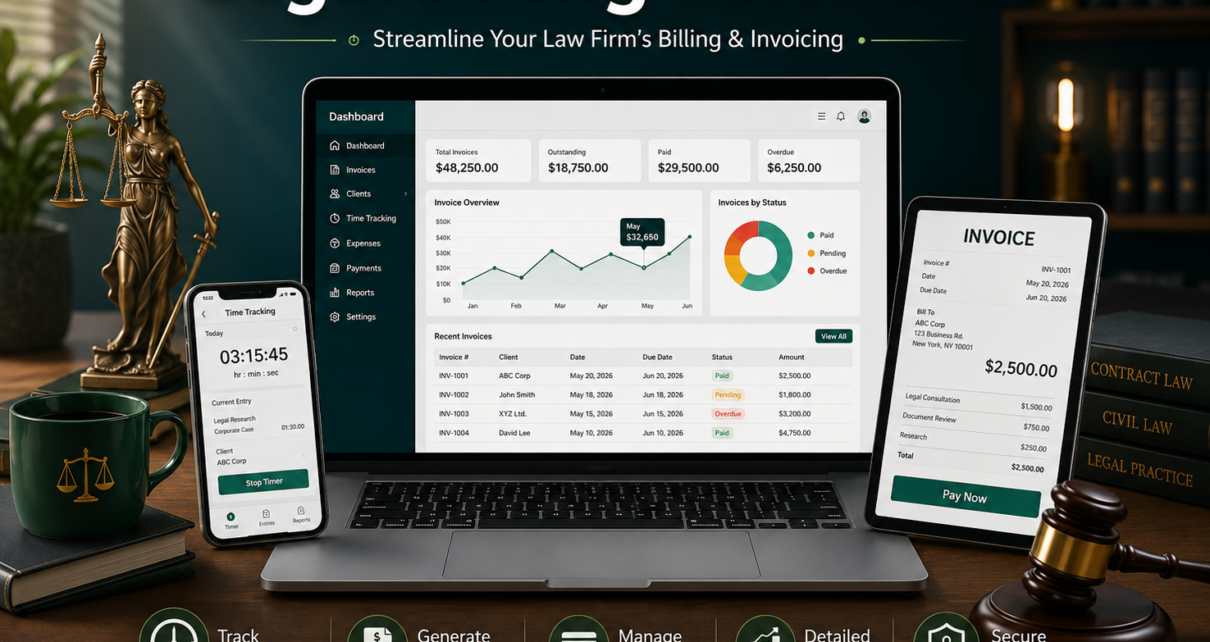
This is why many firms end up running a CRM alongside — or integrated with — dedicated legal operations tools that handle time tracking, invoicing, and workflow reporting. For example, Cyberspace’s legal billing and time-tracking software covers exactly that operational layer: tracking billable hours down to the minute, generating invoices based on partner, associate, and attorney rates, and producing reports on employee hours and project costs. It’s not a replacement for a contact-and-lead CRM, but it’s the kind of practice-management backbone that makes client relationship data actually mean something — because accurate billing and transparent reporting are a huge part of how clients judge whether they’re being well managed.

Questions to Ask Before You Buy
Before committing to any CRM software for law firms, it’s worth getting straight answers to a few practical questions:
- Can it be customized to how your firm actually organizes matters, rather than forcing you into a generic sales pipeline structure?
- Does it integrate with (or offer) time tracking and billing, so client communication and revenue tracking aren’t disconnected systems?
- What does onboarding actually involve — and is there real support, or just a knowledge base?
- Is pricing transparent, or will you need a sales call just to find out what it costs?
- Who actually owns the data, and what happens to it if you switch providers later?
A vendor that answers these clearly, without dodging, is usually a good early signal of how they’ll behave after you’ve signed a contract.
Frequently Asked Questions
Is a legal CRM the same as case management software? Not quite. Case management software focuses on the legal work itself — documents, deadlines, court filings. A legal CRM focuses more on the relationship side: client and lead communication, follow-ups, and referral tracking. Many modern firms use both together, sometimes as a single integrated system.
Do small law firms actually need a CRM, or is it overkill? Even small firms benefit once they’re juggling more than a handful of active clients, because informal tracking (memory, sticky notes, scattered emails) breaks down fast as client volume grows. The main question isn’t firm size — it’s how many relationships you’re actively trying to track at once.
How much does CRM software for law firms typically cost? Pricing varies widely depending on whether it’s a generic CRM adapted for legal use or a purpose-built legal CRM, and whether billing/time-tracking features are bundled in or sold separately. It’s worth requesting a demo and clear pricing upfront rather than estimating based on competitor pricing pages, since bundled features differ a lot between vendors.
Can CRM software integrate with billing and time-tracking tools? Yes — and for law firms, this integration matters more than in most industries, since client satisfaction is closely tied to billing accuracy and transparency. Look for CRM or practice-management vendors that either offer this natively or integrate cleanly with dedicated billing software.
Final Thoughts
Choosing CRM software for law firms isn’t really about finding the tool with the longest feature list — it’s about finding one that matches how your firm actually operates, and that connects cleanly to the billing and time-tracking side of your practice rather than living in isolation. Start with your actual workflow, ask vendors direct questions, and treat a demo as a chance to test fit, not just watch a presentation.