A few years ago, whenever someone talked about building a website, the first thing people imagined was coding. You had to learn complicated stuff, write lines of code, fix errors, and spend hours figuring out technical problems.
That’s still the image many beginners have in their minds.
And honestly, that’s the reason a lot of people never even try.
But WordPress today is very different from what it used to be.
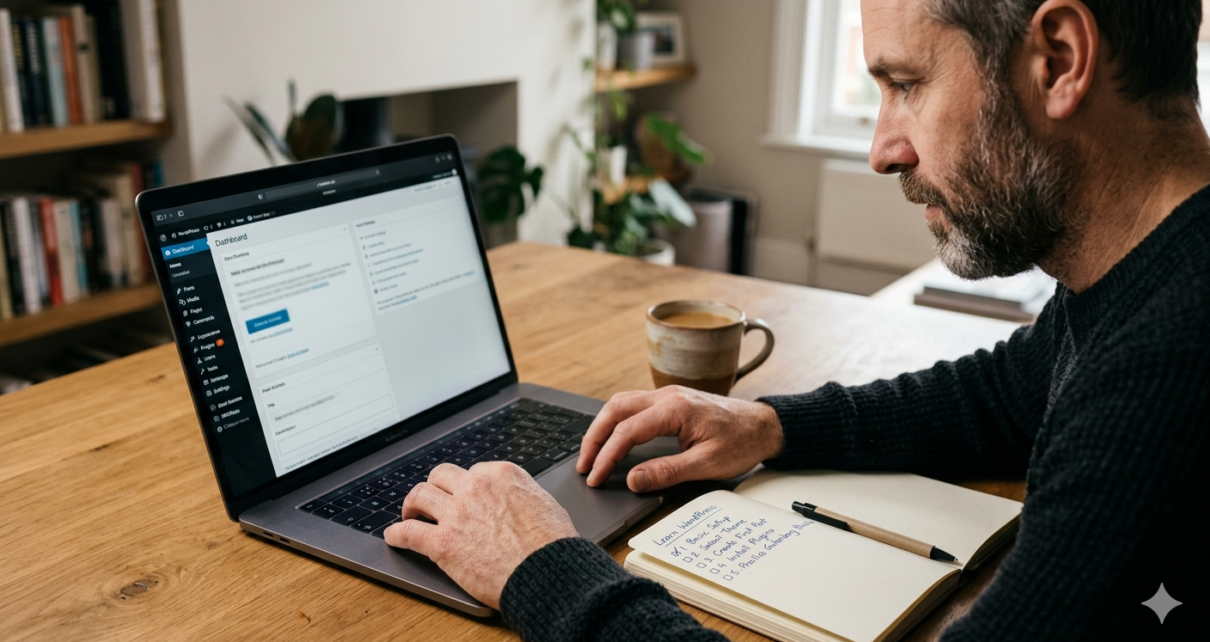
You can now build a clean and professional website without learning programming. Most of the work is visual. You click, drag, customize, and publish.
That’s why so many beginners are starting with WordPress.
Whether someone wants to create a personal blog, a website for their business, or even a portfolio for freelance work, WordPress makes the process much easier than people expect.
Here, in this article things are made easier that how to learn WordPress without coding.
A Quick Look at How WordPress Works
WordPress is a platform that helps people build websites.
That’s the simplest way to explain it.
Rather than setting up each part of a website on your own, WordPress offers a ready-made structure.
You can:
- Create pages
- Publish blog posts
- Change the design
- Upload images
- Add new features
- Manage your website from one dashboard
Non coders like WordPress because they don’t have to build everything from start.
A lot of websites you visit every day are built using WordPress, including:
- Blogs
- Business websites
- Online stores
- News websites
- Portfolio websites
What’s interesting is that many of those websites were built by people who didn’t know how to code at the beginning.
Why You Don’t Need Coding to Learn WordPress
This is probably the biggest misunderstanding beginners have.
People think WordPress means learning HTML, CSS, and other technical things before building anything.
But for basic websites, that’s simply not true anymore.
Modern WordPress tools are designed for normal users.
Themes Already Handle the Design
Themes control how your website looks.
So instead of designing everything manually, you install a theme and customize it.
That’s it.
Many themes such as Astra and many more include by default ready-made web layouts that non coding person can start right away. You can change colors, fonts, spacing, and page structure without touching code.
That’s why WordPress for beginners feels much less technical today.
Plugins Add Features Without Technical Work
Plugins are one of the biggest reasons WordPress became beginner-friendly.
Think of them like add-ons.
Need a contact form? Install a plugin.
Need SEO features? Install a plugin.
Need better speed or security? There are plugins for that too.
Most of the time, you simply install and activate them from the dashboard.
Page Builders Make Everything Easier
This is where things became much simpler for beginners.
Tools like Elementor and Gutenberg allow people to build pages visually.
Instead of writing code, you can:
- Drag sections
- Add images
- Insert buttons
- Rearrange layouts
- Edit text directly on the page
It’s one of the key reasons people are able to build professional-looking websites without any coding knowledge.
Getting Started with WordPress – Step by Step
One mistake beginners often make is trying to learn everything at once.
That usually creates confusion.
A better approach is learning step by step.
Start with Hosting and a Domain
Your domain name is your website address.
You can see this in: www.yourwebsite.com
Hosting is the place where your website files are stored.
Most hosting companies now make the process very simple for beginners.
You don’t need deep technical knowledge to get started.
Just choose a beginner-friendly hosting provider with:
- Easy dashboard access
- One-click WordPress installation
- Good support
That’s usually enough for beginners.
Installing WordPress on your Site
Most hosting providers now offer one-click installation.
So instead of manually setting things up, WordPress gets installed automatically in a few minutes.
After installation, you’ll receive login details for your dashboard.
At first, the dashboard may look unfamiliar.
That’s normal.
After spending a little time exploring it, things become much easier to understand.
Choose a Simple Theme
A lot of beginners make the mistake of choosing flashy themes with too many effects.
But simple themes are usually better.
Lightweight themes load faster and are easier to customize.
Good beginner-friendly options include:
- Astra
- GeneratePress
- Kadence
You can always customize them later as you improve.
Use a Page Builder
Page builders assist non coders create layouts visually.
Elementor is one of the most popular choices because it feels simple.
You can literally drag elements onto the page and edit everything visually.
For beginners, this removes a lot of fear.
You don’t feel like you’re “coding a website.” You feel like you’re arranging content.
That difference matters.
Create Basic Pages
Don’t overcomplicate your first website.
You only need a few important pages in the beginning:
- Home
- About
- Contact
- Blog
That’s enough.
Once you get to know how pages work. You can easily expand your website in future.
Install Essential Plugins
Plugins with their additional features make your website more useful.
Some beginner-friendly plugins include:
SEO Plugins
- Rank Math
- Yoast SEO
Security Plugins
- Wordfence
- Solid Security
Speed Optimization Plugins
- LiteSpeed Cache
- WP Rocket
But avoid installing too many plugins at once.
That’s a mistake many beginners make.
Common Mistakes Beginners Usually Make
Learning WordPress becomes much easier when you avoid a few common problems.
Installing Too Many Plugins
People often install plugins for everything.
After a while, the website becomes slow and messy.
Try to keep things simple.
Only install plugins you actually need.
Heavy Themes
Some themes look great in demos but don’t perform well in real use.
Heavy themes can slow down your website and make and make it harder to customize.
Simple themes usually work better for beginners.
Ignoring SEO Basics
A lot of beginners focus only on design.
But SEO matters too.
Simple things like:
- Writing proper headings
- Using keywords naturally
- Compressing images
- Creating useful content
can help your website perform better over time.
Trying to Learn Everything Immediately
This is probably the biggest mistake.
You don’t need to master WordPress in one week.
Even experienced users continue learning new things.
Focus on small progress instead.
That approach works much better.
How to Learn WordPress Faster
There’s no shortcut that magically makes someone an expert overnight.
But there are smarter ways to learn.
Start With Small Projects
Start small instead of trying to build a large business website right away.
Maybe:
- A personal blog
- A practice website
- A simple portfolio
Small Projects benefit beginners to learn faster due to less pressure.
Practice Consistently
Even spending 20 or 30 minutes daily helps.
The more you experiment with WordPress, the easier it becomes.
Most people improve simply by practicing regularly.
Follow Structured Tutorials
One problem with random tutorials is that they often skip important basics.
Due to this structured learning works a way better for beginners.
If you want a simple, beginner-friendly way to learn WordPress step by step, you can check out LearnWPToday .
It explains WordPress concepts in a way that feels easier to follow for beginners.
Final Thoughts
Starting something new always feels a little intimidating in the beginning.
WordPress is no different.
But once you spend some time using it, you realize it’s much simpler than people make it sound.
You don’t need to become a developer before building a website.
You just need patience, practice, and a willingness to learn step by step.
That’s how most people start.
And honestly, that’s usually enough.